

You're boarding for a cross-country meeting or a weekend escape, and one question matters before the cabin door closes: will the internet work when you need it? Most travelers have had both versions of the experience. On one flight, email and messaging are smooth. On another, a simple attachment stalls and video calls are out of the question.
That gap is why how does WiFi work on airplanes remains such a useful question. The answer isn't just “the plane has Wi-Fi” or “the route has coverage.” The complete picture includes the type of system on the aircraft, how the signal gets inside the cabin, how many people are sharing it, and even where you're sitting.
On Haute Jets Journal, this topic matters because connected travel has become part of the trip itself. For some passengers, the cabin is an office. For others, it's a quiet place to stream, message family, or review documents before landing. Either way, expectations are higher now than they were a few years ago.
Introduction Your Office at 40,000 Feet
If you've ever opened your laptop after takeoff and hoped the flight would feel like an extension of your office, you're not alone. Today's travelers expect the cabin to support work, communication, and entertainment without much friction. That expectation is reasonable, but the technology behind it is more layered than is widely known.
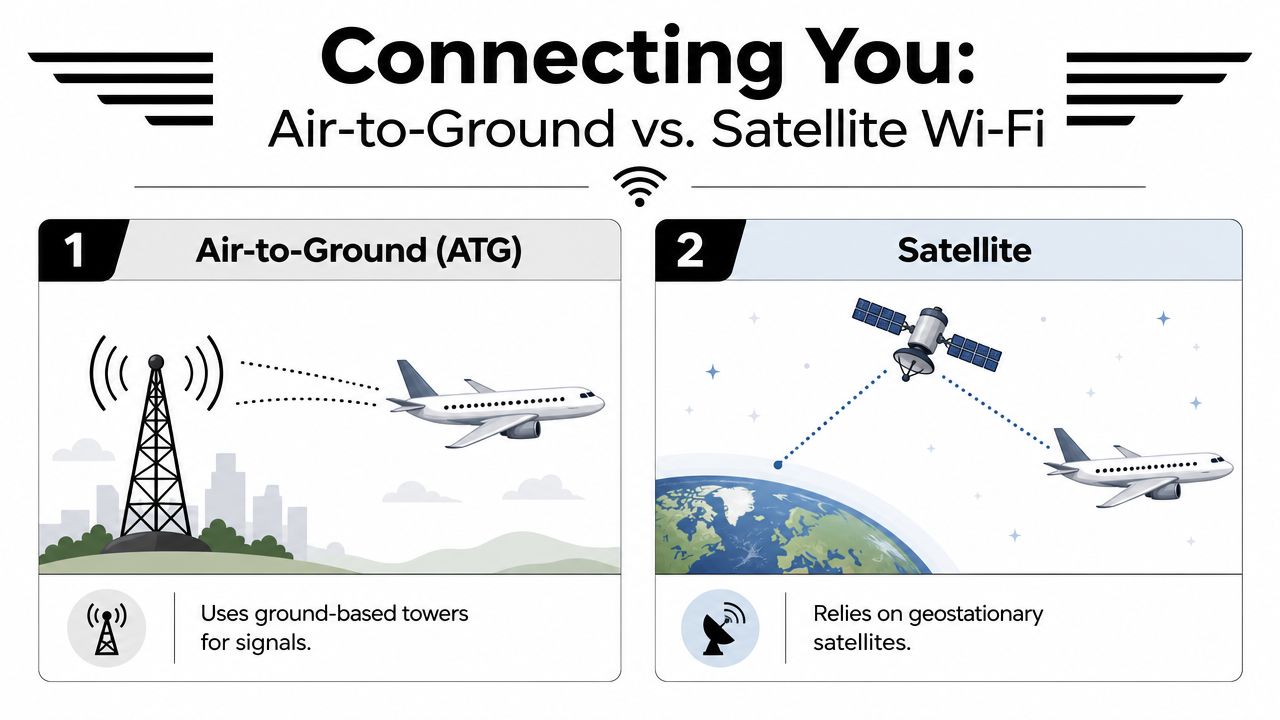
The short answer is that airplanes usually connect to the internet in one of two ways. They either talk to ground towers as they fly over land, or they talk to satellites above the aircraft. Think of the first as a moving connection that hands off from tower to tower, much like a phone on a highway. Think of the second as a link pointed upward, closer to the way a home dish connects through space.
That difference shapes nearly everything you experience onboard. It affects what works well, what feels slow, and why one aircraft can support a productive work session while another is better suited to light browsing.
For travelers who use flight time strategically, that distinction matters just as much as cabin size or range. A connected aircraft can turn dead time into useful time, which is one reason private aviation continues to appeal to executives and entrepreneurs focused on output as much as comfort. For a broader look at that relationship, this piece on how private business jets boost your productivity is a helpful companion.
A good in-flight connection isn't a luxury feature anymore. It's part of how many passengers plan the flight itself.
The Two Systems Connecting You to the Ground
Airplane internet starts with a simple question. How does the aircraft itself reach the wider internet while traveling hundreds of miles per hour, often far from any city?
The answer depends on which of the two main connection systems is installed on that aircraft. That distinction matters more on private flights than many travelers realize, because two jets can both advertise Wi-Fi yet deliver very different results for video calls, large file transfers, or even basic browsing.
Air-to-Ground
Air-to-Ground, or ATG, connects the aircraft to a network of towers below. The antenna is usually mounted on the underside of the plane and continuously shifts from one ground signal to the next as the aircraft moves across land.
That setup can work well for routine tasks. Email, messaging, and light web use are often reasonable on domestic routes over areas with strong coverage. The tradeoff is coverage and capacity. Once the flight moves away from tower networks, service can weaken or drop, and the available bandwidth is shared across everyone onboard.
For private travelers, ATG can still be the right fit on shorter regional trips where basic connectivity is enough. If a client plans to join video meetings, send large attachments, or stay connected over remote territory, ATG may feel limiting compared with a satellite-equipped aircraft.
Satellite
Satellite Wi-Fi uses an antenna on top of the fuselage to communicate with satellites above the aircraft rather than towers on the ground. Because the signal comes from overhead, this method is better suited to long-range travel, offshore routes, and areas where ground infrastructure is sparse.
It also tends to be the system clients notice most on larger and longer-range private jets, because those missions often demand more than casual internet use. A passenger flying coast to coast for meetings has different expectations from someone checking messages on a short commercial hop. Satellite service is usually better positioned to support that higher standard.
Commercial and private aircraft can both use satellite connectivity, but the experience is not automatically the same. Cabin size, passenger count, installed hardware, service plan, and antenna generation all affect what you experience in use. A full commercial cabin puts far more simultaneous demand on the connection than a private jet with a small passenger group, which is one reason private aviation often delivers a more consistent onboard experience even when the underlying technology category sounds similar.
Inside the aircraft, the signal follows a practical path:
- The antenna receives the connection from a tower or satellite.
- An onboard modem and server process the signal so the aircraft can use it.
- Cabin routers and wireless access points distribute it as the hotspot you join from your device.
That basic chain explains why asking only, “Does it have Wi-Fi?” rarely tells you enough.
A quick walkthrough helps make the hardware feel less abstract:
Why passengers get confused
Passengers often treat in-flight Wi-Fi as a single product. In practice, it is a stack of systems, and each layer affects speed, stability, and coverage.
That is where the commercial versus private comparison becomes useful. On a commercial flight, the question is often whether the airline offers internet at all and what level of service is available that day. On a private charter, the better question is which aircraft has the right connectivity setup for the mission. Haute Jets helps set those expectations before departure, so a client who needs to work in the air is not relying on a vague promise of onboard Wi-Fi.
Practical rule: Ask what connectivity system the aircraft uses, where the flight will operate, and whether the planned use is email, streaming, video meetings, or full workday productivity.
From Radome to Laptop Inside the Aircraft
Once the aircraft has a live connection, the next question is how that signal reaches your device. Onboard hardware then comes into play.
The hardware you don't usually notice
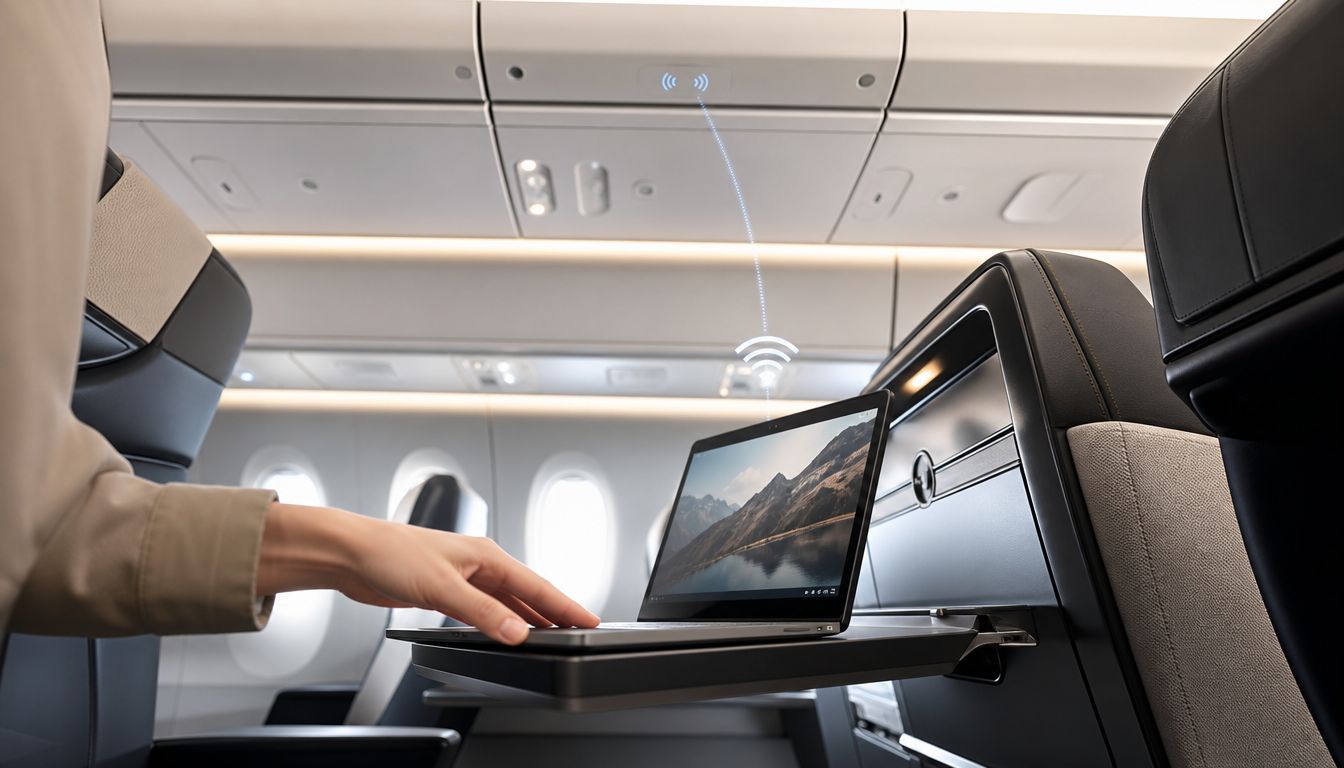
On many aircraft, the external antenna sits beneath a protective cover called a radome. That's the smooth housing that protects sensitive equipment from airflow and weather while allowing the signal to pass through. Beneath that outer shell, the antenna receives the outside connection and passes it to an onboard modem.
The modem translates that incoming signal into something the cabin network can use. Then the aircraft's internal network equipment, including routers and access points, spreads that connection through the cabin so passengers can join it on phones, tablets, and laptops.
That sounds straightforward, but there's an important catch. The cabin itself can interfere with the signal.
Why one seat can feel different from another
In-flight Wi-Fi performance can vary drastically by seat location because signals are disrupted by seats, luggage, and passenger movement, creating electromagnetic interference. This chaotic radio environment inside the cabin is a key factor in spotty connections, as discussed in this technical breakdown on aircraft cabin Wi-Fi interference.
That means there isn't one universally “best” seat for Wi-Fi. A connection can change because a bag was moved, several devices became active nearby, or a laptop shifted position on the tray table. Passengers often assume the aircraft lost its connection to the outside world when the issue is in fact inside the cabin.
Why a strong system can still feel slow
Even with a solid external link, performance can dip for three practical reasons:
- Shared bandwidth: Every connected device draws from the same pool.
- Latency: The signal still has distance to travel before a page or app responds.
- Onboard congestion: Multiple access points and devices can create a noisy radio environment.
This is similar to what happens in hotels, conference spaces, or large homes with many connected devices. If you're interested in how networks assign addresses and route requests once you join them, this guide to DNS and DHCP for China is a useful plain-English reference because it explains the behind-the-scenes steps many travelers never see.
The practical takeaway is simple. A plane can have a strong link to the outside world and still deliver uneven performance to passengers inside the cabin.
Understanding In-Flight Internet Performance
The question most travelers really want answered isn't only how airplane Wi-Fi works. It's why it sometimes feels excellent and sometimes feels fragile.
Bandwidth and the shared pipe problem
Think of the aircraft's internet connection as a pipe feeding the cabin. The wider the pipe, the more activity it can support at once. The narrower the pipe, the faster everyone notices slowdowns when several people start using it at the same time.
That's one reason private and commercial flying can feel so different. On a commercial aircraft, many passengers may be connected simultaneously. On a private jet, the same connection is usually being shared by far fewer people, which often creates a more stable experience for work and streaming.
Latency and route realities
Latency is delay. Even if speeds are respectable, there can be a pause between your click and the system's response because the signal has to travel a long distance before data returns to your device. That delay is more noticeable on interactive tasks than on passive ones like downloading email.
Route also matters. Air-to-Ground Wi-Fi technology is geographically restricted to landmasses, making it ineffective over oceans and unsuitable for the transatlantic or long-haul international routes frequently flown by private charter jets, according to BetterRoaming's explanation of ATG aircraft connectivity limits.
A short comparison makes the tradeoff easier to visualize:
| Environment | Typical experience |
|---|---|
| Commercial cabin | More users, more demand, more variation during peak use |
| Private jet cabin | Fewer users, less internal competition for bandwidth |
| ATG-equipped route over land | Often fine for light tasks, but less flexible for heavier use |
| Satellite-equipped long-haul route | Better suited to remote coverage and longer stages |
What to expect in practice
For most passengers, good onboard internet means choosing the right tasks at the right time.
- Strong fit: Email, messaging, document review, web research
- Usually workable on better systems: Streaming, large downloads, cloud apps
- Most sensitive to lag: Live video calls, remote desktop sessions, fast-twitch collaboration tools
If you're comparing private aircraft for a trip where connectivity matters, this overview of private jet internet speed gives a practical benchmark for evaluating what different cabins can support.
The Private Jet Advantage for Connectivity
You board expecting to work for two hours, send a marked-up contract, and land with your inbox under control. Whether that happens in the air often has less to do with the Wi-Fi label itself and more to do with how many people are sharing it, what equipment is installed on that aircraft, and whether the route matches the system onboard.
That is where private aviation usually creates a better experience.
A commercial airliner may spread one connection across a large cabin of laptops, tablets, and phones. A private jet typically serves a much smaller group. The result is similar to the difference between a busy hotel network and a dedicated conference room line. The underlying service may be comparable, but far fewer competing users usually means faster page loads, steadier app performance, and less frustration during basic work.
Equipment also varies more than many travelers expect. Some private aircraft are configured for light internet use, such as messaging, email, and routine browsing. Others are equipped with systems that better support cloud platforms, large attachments, or entertainment during longer flights. For clients booking charter, that distinction matters because private jet Wi-Fi is not a uniform amenity. It is an aircraft-specific capability.
Why preflight verification matters
The practical question is not just, “Does this jet have Wi-Fi?” A better question is, “What can this aircraft's connectivity realistically support on this route?”
That is why experienced charter advisors confirm the setup before the trip. For a short domestic sector, a client may only need reliable email and messaging. For a management team flying offshore or internationally, the standard is different. They may need enough stability for shared documents, cloud access, and coordinated work across several devices.
Treat in-flight internet like range or baggage capacity. It should be matched to the mission, not assumed from a brochure.
At Haute Jets, that expectation-setting matters as much as the hardware itself. The goal is not to promise perfect performance in every condition. The goal is to place clients on the right aircraft, explain likely limits in advance, and reduce surprises once the cabin door closes.
Airplane Mode and what it means for private travelers
On most flights, cabin crew instruct passengers to switch devices to Airplane Mode. For travelers, the practical takeaway is simple. Follow the crew's instructions, then connect to the aircraft's approved onboard network when it becomes available.
That instruction should not be confused with a warning that onboard Wi-Fi is inherently unsafe for the aircraft. The more relevant concern for business travelers is usually privacy. If you plan to review contracts, access company systems, or send sensitive files, treat the connection like any other shared network and use the same caution you would use in an airport lounge.
There is also a timing point worth knowing. In the United States, FAA regulations restrict charter operators from offering Wi-Fi connectivity on private jets until the aircraft reaches altitudes above 10,000 feet, as noted in Stratos Jets' overview of private jet in-flight Wi-Fi restrictions. If the network does not appear immediately after takeoff, that delay may be part of normal operating procedure rather than a system fault.
Staying Secure and Productive While You Fly
A productive flight starts before the wheels leave the ground. The passengers who get the most from onboard internet usually assume two things in advance. First, the network may be public enough to require caution. Second, even a strong system works better when the device and workflow are prepared beforehand.
A practical routine that works
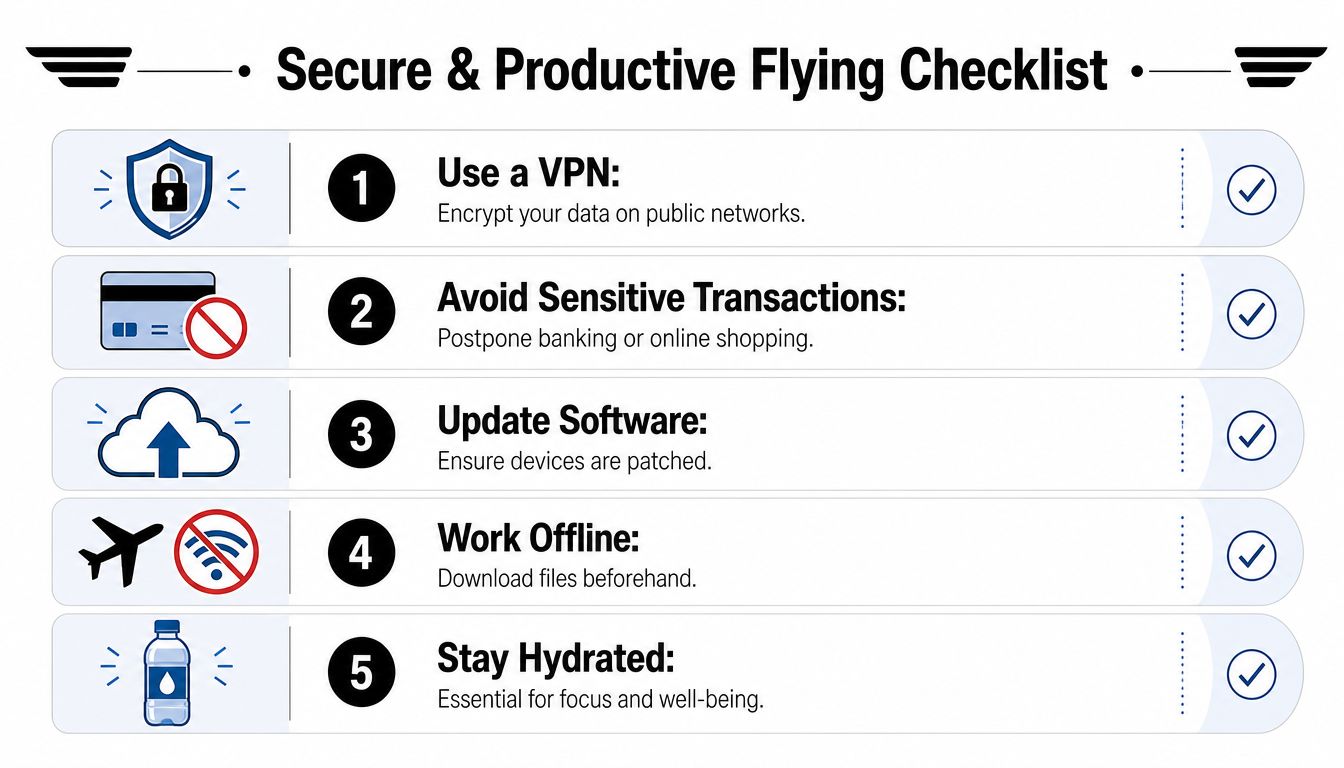
A common preflight routine among experienced travelers looks like this:
- Use a VPN: Encrypt your traffic before you log into email, cloud drives, or internal systems.
- Download key files in advance: Keep presentations, contracts, and reading materials available offline.
- Postpone sensitive transactions: Banking, account changes, and major purchases are better left for a trusted network.
- Update devices before departure: Software patches are easier to handle on the ground than in the air.
- Plan a split workflow: Do online tasks when the connection is stable, then switch to offline work when the network is busy.
That approach is especially useful on business flights. If a file absolutely must be sent after takeoff, send it early when fewer people are actively using the network. Save editing, reading, and review work for the moments when connectivity feels less responsive.
The real story behind Airplane Mode
There's still persistent confusion about whether Airplane Mode exists for flight safety in the way many passengers assume. The verified point worth knowing is this: modern research confirms that cellular, Wi-Fi, and Bluetooth radios do not interfere with aircraft operation or navigation, and the primary reason for Airplane Mode is to conserve battery by preventing the phone from trying to connect to distant ground towers, as summarized in this discussion of why Airplane Mode is still used.
That doesn't mean passengers should ignore cabin instructions. Crew procedures still govern what happens onboard. It does mean you can think about the setting more clearly. In practical use, Airplane Mode helps your phone stop wasting power while still allowing you to enable onboard Wi-Fi manually once the system is available.
Your device isn't the threat most people think it is. The bigger risk is sending sensitive information over a network you haven't protected.
A booking-side example
A well-managed trip often solves connectivity concerns before departure. A traveler tells an advisor, “I need to work for most of the flight and may have to join a live call after climb.” That request changes aircraft selection, cabin planning, and expectations immediately.
The strongest advisors don't stop at “yes, there's Wi-Fi.” They ask what kind of work you need to do, whether the route crosses water, and whether you'll need dependable browsing, cloud access, or something more demanding. That's how productive flying becomes consistent instead of lucky.
How Haute Jets Confirms Your Onboard Connection
For charter clients, the phrase “Wi-Fi equipped” can be too vague to be useful. What matters is whether the aircraft's system matches the trip.
A careful booking process checks more than the existence of onboard internet. It verifies the aircraft type, installed connectivity system, expected route coverage, and whether the setup is best suited to messaging, standard business work, or more bandwidth-hungry use. That level of verification is especially important on private charter because travelers often book with very specific goals for their time onboard.
A strong client experience also includes confirming details before the day of departure, so there are no surprises once the cabin door closes. If Wi-Fi is mission critical, it shouldn't be treated as a generic amenity. It should be treated as a planning requirement.
That's why resources like whether there is Wi-Fi on private jets are useful during the evaluation stage. They help distinguish between “internet is available” and “internet will support the way I work.”
The broader trend is encouraging. Newer satellite systems, especially those built around lower-orbit networks, are pushing in-flight internet closer to what travelers expect on the ground. For passengers, that means fewer compromises. For advisors and operators, it raises the standard for how precisely connectivity should be described before a booking is confirmed.
The Future of Internet in the Sky
You board for a coast-to-coast flight expecting a quiet block of working time, and the question is no longer whether the aircraft has internet. The better question is what kind of internet it has, how consistently it performs, and whether that performance matches the way you plan to use the cabin.
That distinction matters even more as newer satellite systems enter service. Low Earth orbit networks sit closer to the planet than traditional geostationary satellites, so signals travel a shorter distance. In practical terms, that usually means lower delay, quicker page loads, and a connection that feels more like ground-based broadband than the older version of in-flight Wi-Fi many travelers remember.
The airline market has already started to reflect that shift. Hawaiian Airlines reports that it began installing Starlink on its Airbus fleet in 2024, a useful example of how major operators are investing in faster satellite-based service. The larger point is not one brand versus another. It is that the ceiling for onboard connectivity is rising, and traveler expectations are rising with it.
Private aviation stands to benefit in a different way than commercial aviation. On an airline, hundreds of passengers may be sharing the same onboard network, often with service rules set for mass-market use. On a private jet, the cabin has far fewer devices competing for bandwidth, and the mission profile is more specific. That does not guarantee perfect internet on every aircraft and every route, but it often creates a more stable and more useful experience for business calls, cloud-based work, and larger file transfers.
The hardware is improving, but the main advantage comes from matching the aircraft to the trip.
A newer long-range jet with a modern satellite installation can support a very different onboard workday than an older aircraft with a legacy setup. For a client, that means the future of in-flight internet is not just about faster technology. It is about better alignment between the aircraft you book and the connectivity you expect once you are airborne.
If onboard connectivity matters as much as range, cabin comfort, and scheduling flexibility, Haute Jets can help you choose an aircraft that fits the way you travel. Their team confirms key trip details before departure so you know what to expect in the air, whether you're planning a productive business flight or a smooth long-range escape.